
Download AbridgeInsert – Text Generator, Hotkey Tool, Productivity Utility
Overview
AbridgeInsert is a practical utility designed to enhance productivity by enabling users to insert frequently used text snippets with customizable hotkeys. The app serves as a lightweight yet effective tool for developers and everyday internet users who regularly input repetitive phrases, commands, or variables into documents, code files, or online forms. By reducing manual typing, AbridgeInsert streamlines workflows across multiple environments, from coding in C++ and HTML to composing emails or messages. Its core purpose is to minimize keystrokes and improve efficiency without requiring complex setup or integration with other software.
The target audience includes programmers, technical writers, and digital content creators who benefit from rapid text insertion. While the developer did not provide additional background information, the app’s long-standing presence in the software ecosystem since its release on September 13, 2006, suggests a proven track record for reliability and utility. Real-world use cases range from inserting boilerplate code snippets in development projects to automating common responses in customer support or social media interactions. In the broader app ecosystem, AbridgeInsert fills a niche for minimalistic, high-impact productivity tools that operate silently in the background.
Key Features & Functionality
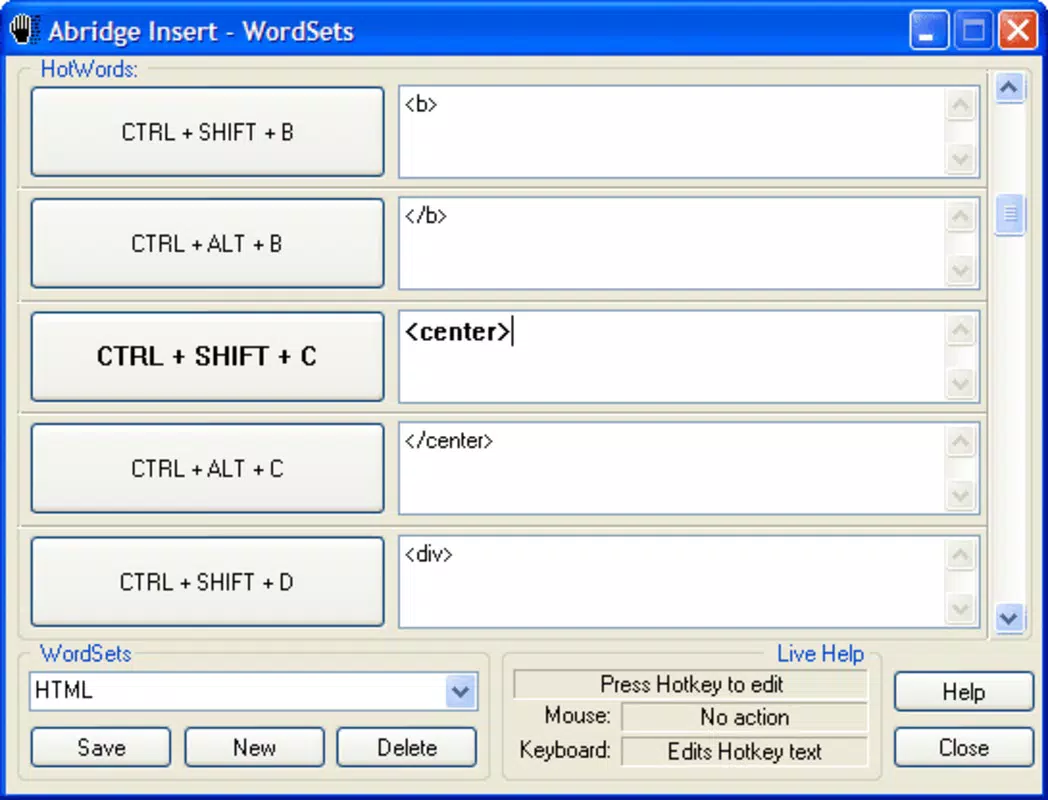
- Quick Text Insertion via Hotkeys: Users can assign custom keyboard shortcuts to predefined text blocks, allowing instant insertion with a few keystrokes. This is especially valuable during coding sessions where repetitive syntax or command structures are common.
- Customizable Text Sets: The app supports the creation of multiple text libraries tailored to specific tasks or projects. For example, a developer can maintain separate sets for web development, backend scripting, and documentation.
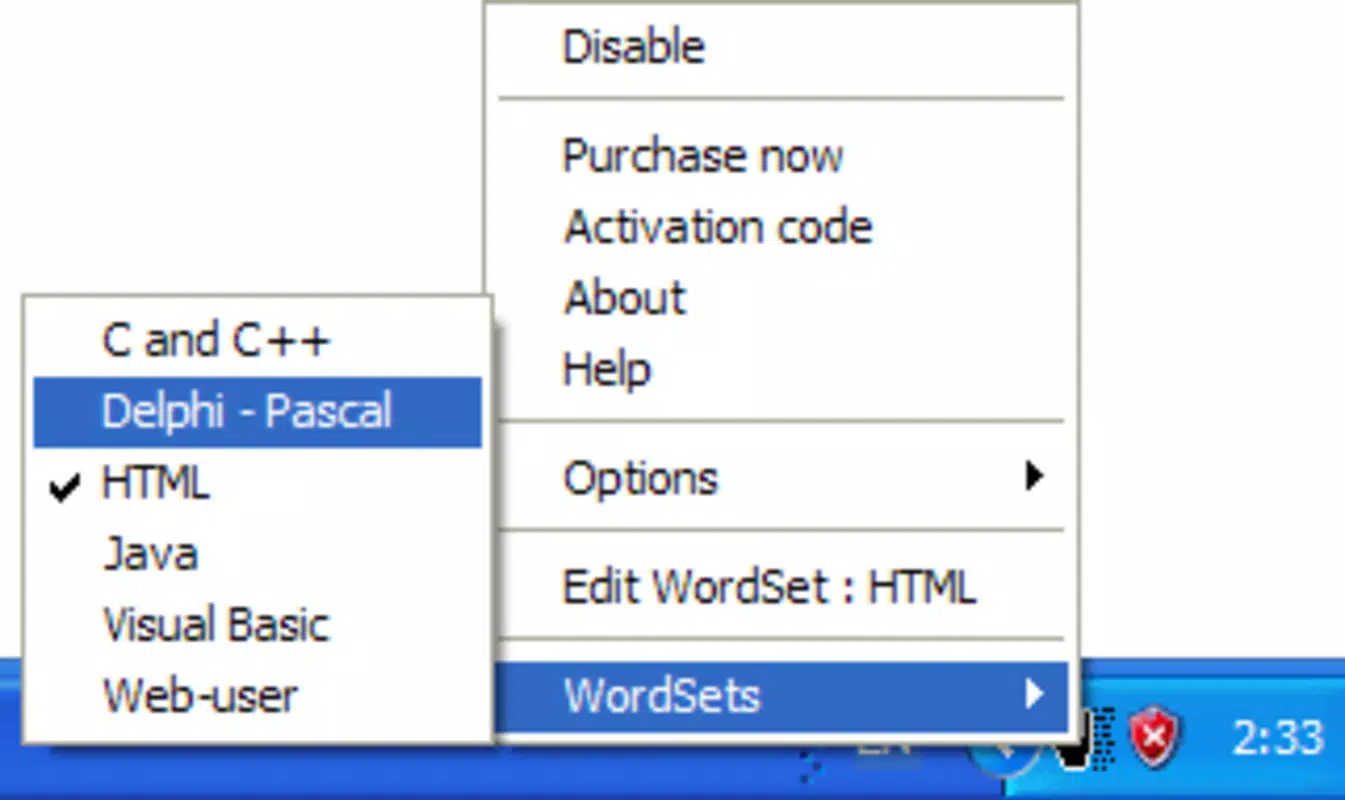
- Multi-Language Support: AbridgeInsert includes built-in templates and shortcuts for popular programming languages such as C++, Delphi, HTML, Java, and VB. This ensures that relevant code snippets are readily accessible without additional configuration.
- Internet User Texts: Beyond coding, the tool offers customizable text entries for common online communication, such as email signatures, social media replies, or form responses, making it useful for non-technical users.
- User-Friendly Interface: The interface is designed for simplicity and immediate usability. Users can set up hotkeys and manage text libraries with minimal learning curve, even for those unfamiliar with automation tools.
For instance, a web developer might assign “” to a hotkey, reducing the time spent typing repetitive HTML structures. Similarly, a customer service agent could use a shortcut to insert a standard apology message, improving response speed and consistency.
Interface, UX & Performance
AbridgeInsert features a clean, minimal interface focused on functionality rather than visual flair. The layout prioritizes ease of access to settings, hotkey assignments, and text library management. Navigation is straightforward, with clearly labeled sections and logical grouping of features. The app’s design philosophy emphasizes speed and simplicity, allowing users to configure and use the tool without distractions.
Although the developer did not list formal performance metrics, the app’s lightweight nature suggests it operates efficiently across a range of device categories. It is likely to maintain responsiveness even on older systems, as it does not rely on heavy background processes. Stability is implied by its long-standing presence in the software market, though no specific user reports or crash data were provided. The app appears to run in the background without interfering with other applications, which is essential for a tool that functions continuously during work sessions.
Platform Compatibility & Technical Requirements
AbridgeInsert is available for Windows-based systems, though the specific operating system version and file size were not disclosed by the developer. The app was released on September 13, 2006, indicating it has been in use for over 17 years. While the developer did not specify minimum OS requirements or compatibility details for modern Windows versions, the app’s enduring functionality suggests it may still work on current platforms through compatibility layers or legacy support.
Given its age, users should verify system compatibility before installation. The developer did not provide a direct link to a downloadable file or APK, nor did they specify whether the app is available on mobile platforms. As such, platform availability beyond desktop systems remains uncertain.
Pros and Cons
Pros
- Efficient text insertion using customizable hotkeys
- Supports multiple programming languages and common internet phrases
- Simple, intuitive interface suitable for all user levels
- Lightweight and designed for background operation
- Long-standing history with consistent functionality
Cons
- Developer did not provide current technical specifications or compatibility details
- Platform availability beyond Windows is unclear
- No official updates or release notes were published
- File size and installation requirements were not disclosed
- May require manual setup for optimal use on newer systems
FAQ
Is AbridgeInsert safe to download and use?
The app has been available since 2006 and is known for its minimal system impact. However, since the developer did not provide a verified download source or security certificate, users should ensure they obtain the software from trusted third-party repositories.
Can I use AbridgeInsert on mobile devices?
There is no public information confirming mobile availability. The app was originally designed for desktop environments, and the developer did not list support for Android or iOS platforms.
Does AbridgeInsert support custom hotkeys?
Yes, users can assign their own keyboard shortcuts to predefined text snippets, enabling rapid insertion of frequently used phrases or code blocks.
Is AbridgeInsert free to use?
The pricing information was not provided by the developer. Users should check official sources or trusted download platforms for the latest pricing and licensing details.
How do I update AbridgeInsert?
As no recent updates or release notes were published, the update mechanism is unclear. Users may need to rely on third-party archives or community forums for newer versions, if available.
Final Thoughts
AbridgeInsert remains a relevant tool for users seeking to accelerate text input across coding and communication tasks. Its focus on simplicity, hotkey-driven insertion, and multi-language support makes it a dependable utility for developers and non-technical users alike. While its age raises questions about modern compatibility, its core functionality continues to offer tangible benefits in daily workflows. For those looking to reduce repetitive typing and boost productivity without added complexity, AbridgeInsert delivers a straightforward solution.
Download AbridgeInsert now


